Keravan Energia app
All your consumption data in one place
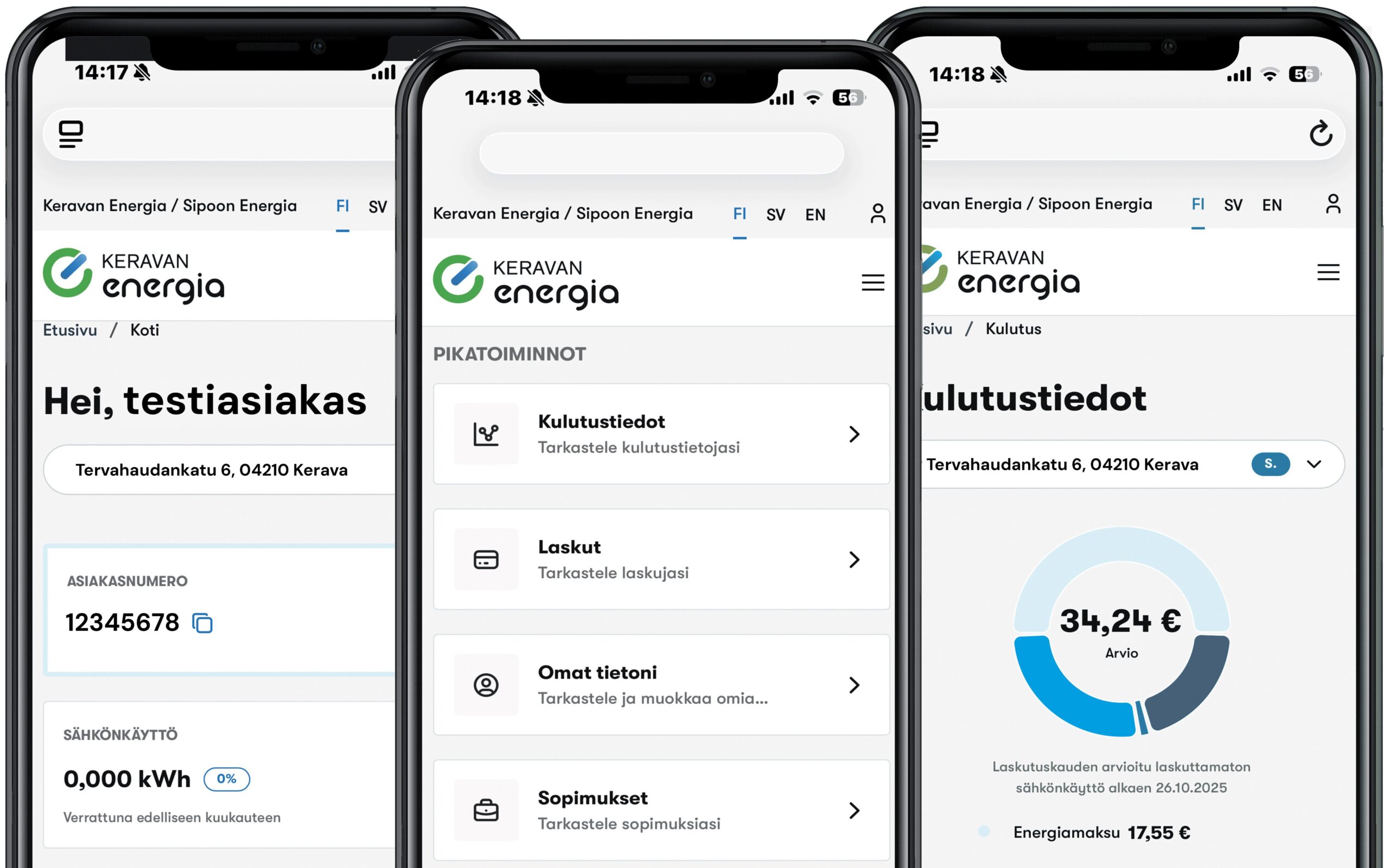
In the app, you can track your consumption data on a daily and hourly basis, as well as over longer periods such as a week, a month, or even a year. The app serves as an invoice archive where you can always view your latest bill. If you have multiple electricity or electricity network contracts, information for all of them is available in the app. Contract details include information such as the validity period and pricing. Regarding current market prices, you can check the daily and monthly averages as well as the peak price. If you have a district heating contract, you can also view your district heating consumption data.
What can you do with the app?
Features of the Keravan Energia app include, among others:
- Current market price
- Consumption data for both electricity and district heating
- Latest invoice and invoice archive
- Contract details, including electricity, grid, and district heating contracts
- Pay your bills directly in the app
Here’s how to download our new app
Installing the application on Apple’s iOS operating system
- Open the web browser on your phone.
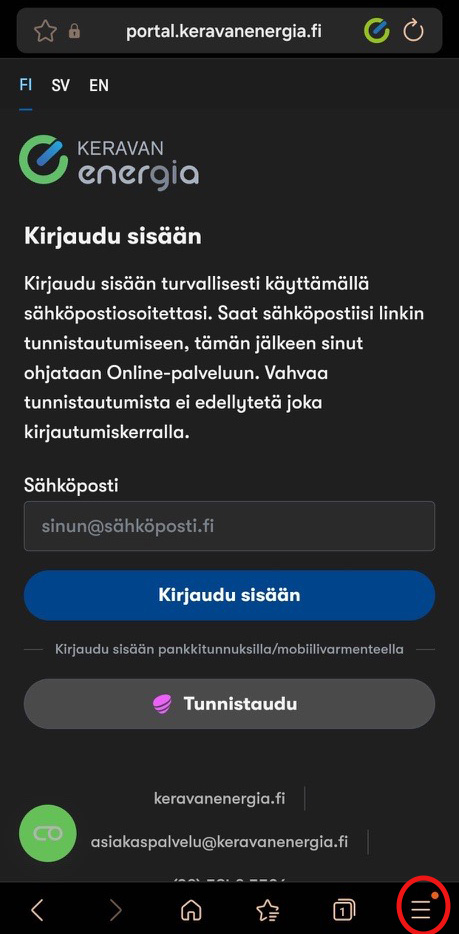
- Enter the web address: portal.keravanenergia.fi
- Tap the “Install app” text at the bottom of the page that opens.
(It appears below the “Log in” button.)
Some browsers may also display a prompt asking you to install the app.
In that case, you can install it by tapping the browser’s “Share” button and selecting “Add to Home Screen”. - A pop-up window with installation instructions will appear on the screen.
- Install the app by following the on-screen instructions.
- The app will be added to your home screen and is then ready for use.
Installing the application on the Android operating system
- Open the web browser you use on your phone, typically Chrome.
- Enter the web address: portal.keravanenergia.fi
- Tap the “Install app” text at the bottom of the page that opens. (It appears below the “Log in” button). Some browsers may also display a prompt asking you to install the app. In that case, you can install it by tapping the browser’s “Share” button and selecting “Add to Home screen”.
- Install the app by following the on-screen instructions and tapping the install icon.
- The app is added to your home screen and is then ready for use.
If you are already logged in to our customer portal on your device, log out of the portal.
The app download button can be found on the authentication page.
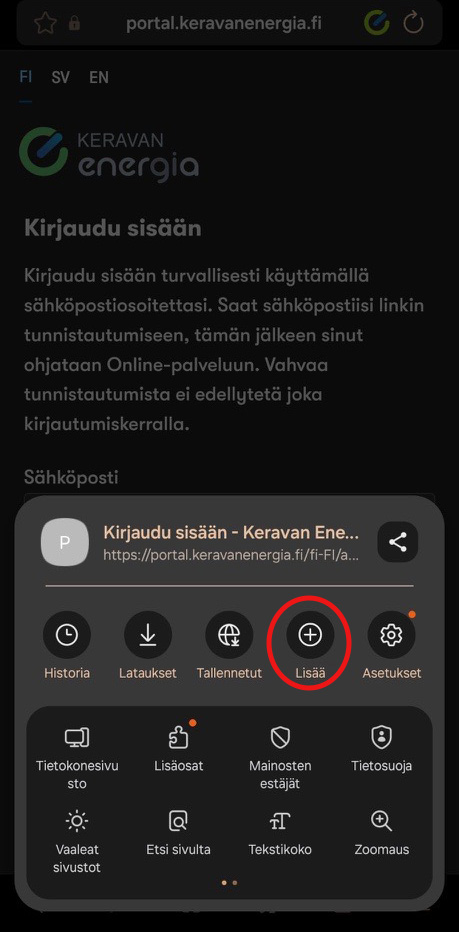
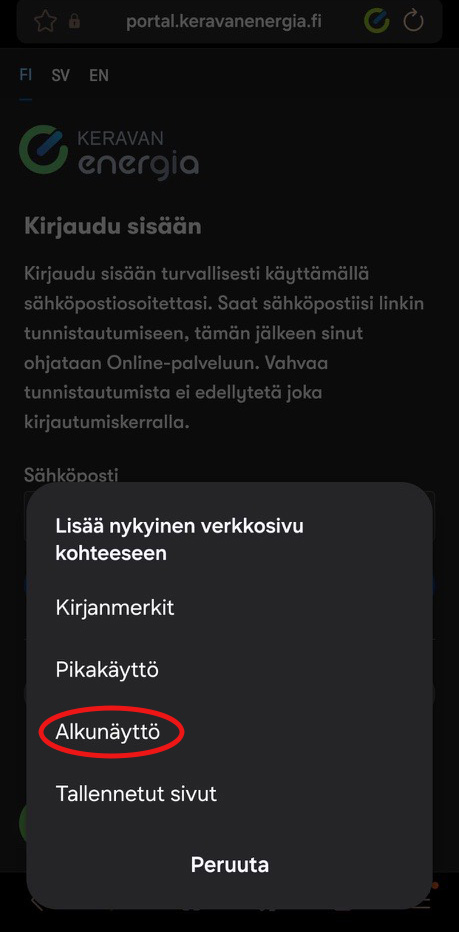
If you do not see the “Install app” button when visiting portal.keravanenergia.fi in your browser, you can install the app by following the instructions below. For example, a direct download button does not appear when using the Samsung Internet Browser.
1. Select the icon showing three lines at the bottom of the screen. In some browsers, the icon may be at the top of the screen.
2. Look for the “More” option, represented by a circled plus sign.
3. Select the option to add the current webpage to the “Home screen.” This creates an icon for the app directly on your home screen alongside your other apps.
Monitor your consumption
Regardless of your electricity contract type, you can track your consumption on a daily, weekly, monthly, or yearly basis. Our grid and district heating customers can also view their consumption data; however, district heating consumption is displayed only on a monthly basis.
Compare your consumption data
You can also compare your consumption across different periods to see whether it has decreased or increased.
Invoice archive
In the invoice archive, you can view both your latest and past invoices. You can see the due dates and invoice numbers. Note: Invoices open in a separate window, which closes when you click the “Done” button in the top-left corner.
Your contract details
Your contract details show the type of electricity contract you have and the pricing model it is based on. All contract types display the start and end dates, unless the product is valid until further notice.
- The Fiksusähkö contract (an exchange-priced electricity contract) shows the margin—or brokerage fee—as well as the basic monthly charge.
- With Perussähkö—our fixed-term electricity contract—you see the fixed price per kilowatt-hour and the basic monthly charge.
- With the Kvartaalisähkö contract, you see your fixed electricity price, which changes in three-month cycles, along with the basic monthly charge.
- With Joustosähkö, you see a fixed starting price and the basic monthly charge.
Follow the spot price
By monitoring fluctuations in the spot price of electricity, you learn when electricity is cheap and when it is more expensive. This is important if you have a *Fiksusähkö* contract—our spot-price electricity plan based directly on the Nordic power exchange, Nord Pool.
In the “Market” section, you can view spot electricity prices on an hourly, daily, and monthly basis, as well as see the daily average and the day’s highest price.